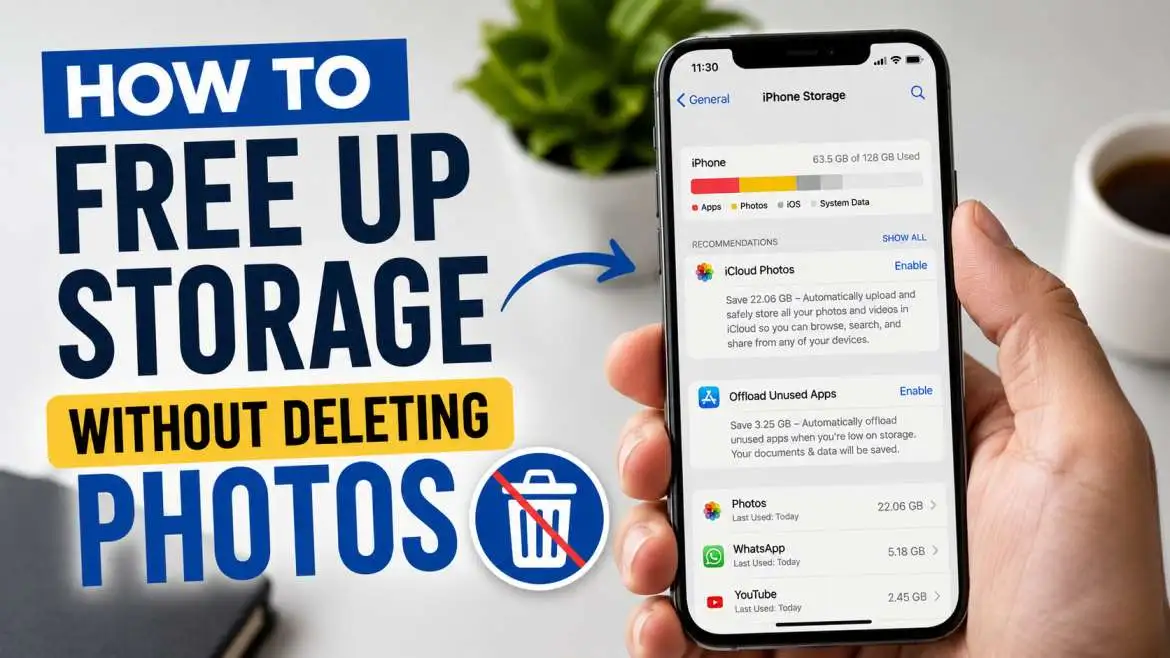
To free up storage without deleting photos, you can quickly toss your files onto free cloud services like Google Drive, shrink your massive image files down, or copy everything over to a portable external drive. Wiping out your hidden system cache, trashing hidden duplicate clips, and offloading old apps you never open will also hand you back gigabytes of space in seconds.
These quick fixes mean you keep every single memory safe while making a sluggish phone feel brand new. I have fixed thousands of cluttered phones over the years, and I know these exact steps will clear your storage bottlenecks immediately without losing a single precious photo.
How to Free Up Storage Without Deleting Photos?

Seeing that "Storage Full" warning pop up on your screen is a massive pain. You open your camera to record a quick video of a funny moment, and your phone just blocks you. It feels like a punch in the gut because you think you have to go through and delete your favorite memories.
You actually do not need to clear out your camera roll to fix this mess. I have spent years troubleshooting slow devices for frustrated users. The real trick is finding out where trash files hide and using simple tricks to shift your data somewhere safe.
We are going to walk through simple ways to clean your device today. You get to keep every single picture you have ever taken. Let us look at the best workarounds to get your space back right now.
You may also read :- Best Android Hidden Features: Top Secret Tips for New Updates
Smart Cloud Storage Hacks to Save Space
Cloud servers are your absolute best friend when your internal drive fills up. Think of the cloud like an off-site storage unit where you keep stuff you do not need to look at every single hour.
Sending your heavy files to a cloud server keeps them safe forever. This trick lets you wipe the heavy copy off your phone while still letting you view the picture anytime you have an internet connection.
Move Files to Google Drive and iCloud
Your phone actually came with free cloud space ready to go on day one. iPhones connect right to iCloud, and Android phones use Google Drive.
You should set these apps to upload your new pictures automatically whenever you connect to home Wi-Fi. After the app finishes copying the files, you can safely delete the local copy off your phone.
Use Shared Albums to Bypass Storage Limits
A sneaky workaround is making shared digital albums with your close friends or family members. The cool part is that these shared loops usually do not count against your personal free storage limits.
Create a private group, add a family member, and dump hundreds of photos into that space. The files stay safe online, and you can clear them off your device to save room.
Streamline Your Current Photo Library Dimensions
Sometimes you just want your pictures to stay directly on your physical hardware. You can still save a ton of room by changing how those files take up space.
Newer phones take massive images that hold way too much raw data. Cutting that data footprint down fixes your issues without making your pictures look blurry.
Compress Huge Image Files Down to Size
High-resolution photos eat up way too many megabytes. You can download free compression apps that shrink down the file size of your media without ruining how they look.
These digital tools just strip out unnecessary background data that your eyes cannot even see. Your images look exactly the same as before, but they only take up half the room.
Switch Your Camera Format to High Efficiency
Unlock your phone and open your camera settings right this second. Look for a toggle called High Efficiency or HEIF format.
This smart setting changes how your phone saves new pictures from now on. It slashes the file size of every single photo you take in half before it even hits your gallery.
Hunt Down the Hidden Storage Hogs
Photos usually take all the blame when a phone starts slowing down. The real space thieves are usually buried deep inside your hidden system folders.
Cleaning out these invisible zones gives you back whole gigabytes of room in a couple of minutes. The best part is you do not have to touch your actual photo gallery.
Clear Your Heavy App Cache Files
Every time you scroll through social media feeds, your phone saves images and clips in a temporary folder called a cache. This helps the app load things faster on your next visit.
The problem is that this junk folder gets massive over time. Head into your main settings, open your apps list, and tap clear cache to dump gigabytes of worthless junk data.
Delete Massive Message Media Attachments
Think about all the random videos, group chats, and funny memes people send you every week. Your chat apps download this stuff automatically and hide it deep in your drive.
Open up your texting app settings and find the data management tab. You can wipe out all those old video attachments while keeping your actual text conversations untouched.
Offload Apps You Do Not Use Anymore
Our devices get cluttered with random apps we downloaded once for a specific task and forgot about completely. These forgotten apps take up prime space.
Cleaning out your app layout is one of the fastest ways to fix a full phone. It requires zero edits to your personal photo collection.
Let Your System Automatically Remove Unused Apps
Both iPhones and Android builds have built-in trackers that see how often you open things. You can flip on a feature called offload unused apps.
This tool deletes the heavy app files themselves but keeps your personal data and settings safe. If you ever need the app down the road, just tap the icon to download it again.
| Storage Cleaning Method | Difficulty Level | Space Saved Potential |
| Cloud Backups | Very Easy | Massive (10+ GB) |
| Cache Clearing | Easy | Medium (2-5 GB) |
| App Offloading | Very Easy | High (5-8 GB) |
| File Compression | Medium | Medium (3-6 GB) |
Wipe Out Pre-Installed Bloatware Applications
Lots of phones come with random games, custom keyboards, and carrier apps installed by the company that made the phone. This stuff is called bloatware.
Scroll through your entire app catalog today. Delete any factory app that the system allows you to remove to instantly clear up dead weight.
Use External Hardware for Ultimate Backup Safety

If you do not like the idea of putting your life on the cloud, physical hardware is a great backup plan. It keeps you in total control of your data.
External drives are cheap and last a very long time. They let you hold onto your memories without paying monthly fees or needing a web connection.
Plug an External Flash Drive Directly Into Your Phone
You can grab tiny flash drives that plug straight into the charging port of your device. They are super simple to operate.
Plug the drive in, open your default files app, and drag your heaviest video folders over to the stick. Pull the drive out and toss it in a desk drawer for safekeeping.
Sync Your Entire Device to a Home Computer
Old-school computer backups still work incredibly well. Hook your phone up to a laptop or desktop computer using your charging cable. Copy your whole media folder directly over to the computer hard drive. Once the progress bar fills up, you can clear those items off your phone for a fresh start.
Expert Insights on Smart Digital Housekeeping
"Most people do not realize that media file sizes have tripled over the last five years. Our screens are better, but our storage habits have stayed the same. Utilizing automatic cloud compression is no longer optional if you want a fast device."
— Markus Vance, Digital Infrastructure Analyst
Keeping a phone clean requires a bit of a routine. I always tell people to spend five minutes at the end of the month running a quick cache sweep. That tiny habit keeps your device from freezing up right when you try to snap an important photo.
Frequently Asked Questions
Will clearing my app cache log me out or delete my data?
No, clearing a cache only removes temporary files like web graphics and thumbnail images. Your personal passwords, account details, and game saves stay completely safe.
Does iCloud save space if the photos stay on my camera roll?
It only saves space if you check the box for optimize storage. This setting shrinks the file on your actual phone down to a tiny preview slice while keeping the giant original file up in the cloud.
What takes up space on a phone besides photos?
Long videos, offline Spotify playlists, downloaded Netflix episodes, and heavy graphic mobile games are the biggest space hogs on any device today.
Can I trust third-party phone cleaning apps from the app store?
It is much safer to stick to the built-in storage tools that came with your Apple or Android system. A lot of third-party cleaning apps are just full of spam ads and slow your phone down worse than before.
How much open storage space does a phone need to run right?
Your smartphone needs about ten to fifteen percent of its total room left empty to breathe. This open space lets the operating system move background data around so your phone does not stutter or lag.





.webp)