You can take professional photos by using hidden iPhone camera hacks and tricks like locking your focus and changing brightness by hand. Using grid lines for the "Rule of Thirds" and trying out Macro mode helps you turn simple phone snaps into sharp, high-quality art instantly.
My Personal Journey Behind the Lens
I remember the first time I tried to take a "pro" photo with my phone. It was a sunset at the beach, and it looked terrible. The sky was a white blob, and the sand was too dark. I realized then that just hitting the big round button wasn't enough. I had to learn how the sensors actually worked.
Now, after years of testing every iPhone model, I know the shortcuts. You don't need a $3,000 camera to capture a memory. You just need to know which settings to toggle. My goal is to help you take photos that make people stop scrolling. Let’s look at the iPhone camera hacks and tricks that changed everything for me.
Why iPhone Camera Hacks and Tricks Matter for You
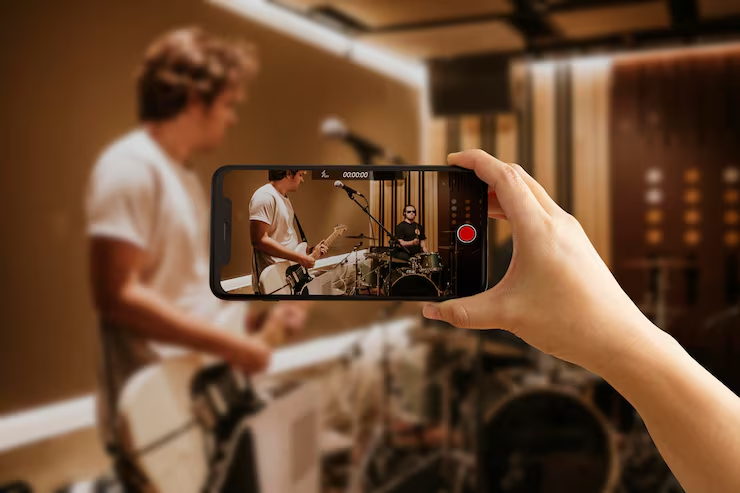
To get the best results, you must know how your phone "thinks." The software tries to guess what you want. But the software is often wrong. Using iPhone camera hacks and tricks lets you take back control. You become the boss of the lens, not the computer inside the phone.
Most people just point their phone and hope for the best. This usually leads to blurry faces or boring shots. When I started my career in SEO and content, I saw that quality images made my articles rank better. Small changes make a massive difference. You can fix most light problems before you even snap the shot.
Start with a Clean Slate
Before we get into the cool software stuff, let's talk about the lens itself. You must wipe your lens. I cannot say this enough. Oily fingerprints from your pocket make your photos look like they have a "dreamy" fog over them. That’s just dirt. I keep a tiny cloth in my pocket just for my lens. It is the cheapest way to get better image clarity.
Also, hold your phone with both hands. It sounds basic, but it works. Holding the phone with two hands keeps it steady. This is huge for night mode shots. If your hands shake, the photo will be a mess. Hold tight, tuck your elbows in, and you will see sharper lines immediately.
You may also read :- Smartphone Battery Charging Tips: Myths and Facts
Setting Up Your Screen for Total Success
The first thing I do when I get a new phone is dive into the settings. I want my camera to be ready the second a moment happens. Go to your Settings app and find the Camera section. There are a few things in there that Apple hides by default. I always tell people to turn on the Grid feature.
This puts a 3x3 box on your screen. It helps you keep your photos straight. No one likes a beach photo where the ocean looks like it is tilting over! This is one of the most essential iPhone camera hacks and tricks I use every single day of my life.
Using the Rule of Thirds for Better Framing
The Rule of Thirds is a classic art trick that I love. You place your subject where the grid lines cross. This makes the photo feel balanced and "right" to the human eye. Instead of putting your friend right in the middle, try putting them on the left or right side of the screen.
When I use the Rule of Thirds, my photos look like they belong in a movie. It gives the person looking at the photo a path to follow. This is a great way to improve your visual storytelling without buying any extra gear. It makes every shot look like you planned it.
Top Secret iPhone Camera Hacks and Tricks for Sharp Focus
Have you ever tried to take a photo of a flower, but the camera focuses on the dirt behind it? It is so annoying. You can fix this by using AE/AF Lock. This stands for Auto Exposure and Auto Focus Lock. It is my favorite secret weapon for close-ups. To do this, tap and hold on your subject on the screen.
A yellow box will pop up that says "AE/AF Lock." Now, even if you move the phone or if something moves in the background, the focus stays locked. This is perfect for macro photography and shots of your pet.
Changing the Brightness with One Swipe
Once you have locked your focus, you can change the light. Look for the small sun icon next to that yellow box. Slide your finger up or down on the screen. Sliding up makes the photo brighter. Sliding down makes it darker. I use this exposure compensation trick at the park all the time.
Sometimes the sun is too bright, and the phone gets confused. Manually lowering the brightness helps keep the deep colors in the trees. It is a pro-level camera tip that anyone can learn in five seconds.
Faster Ways to Catch the Perfect Moment
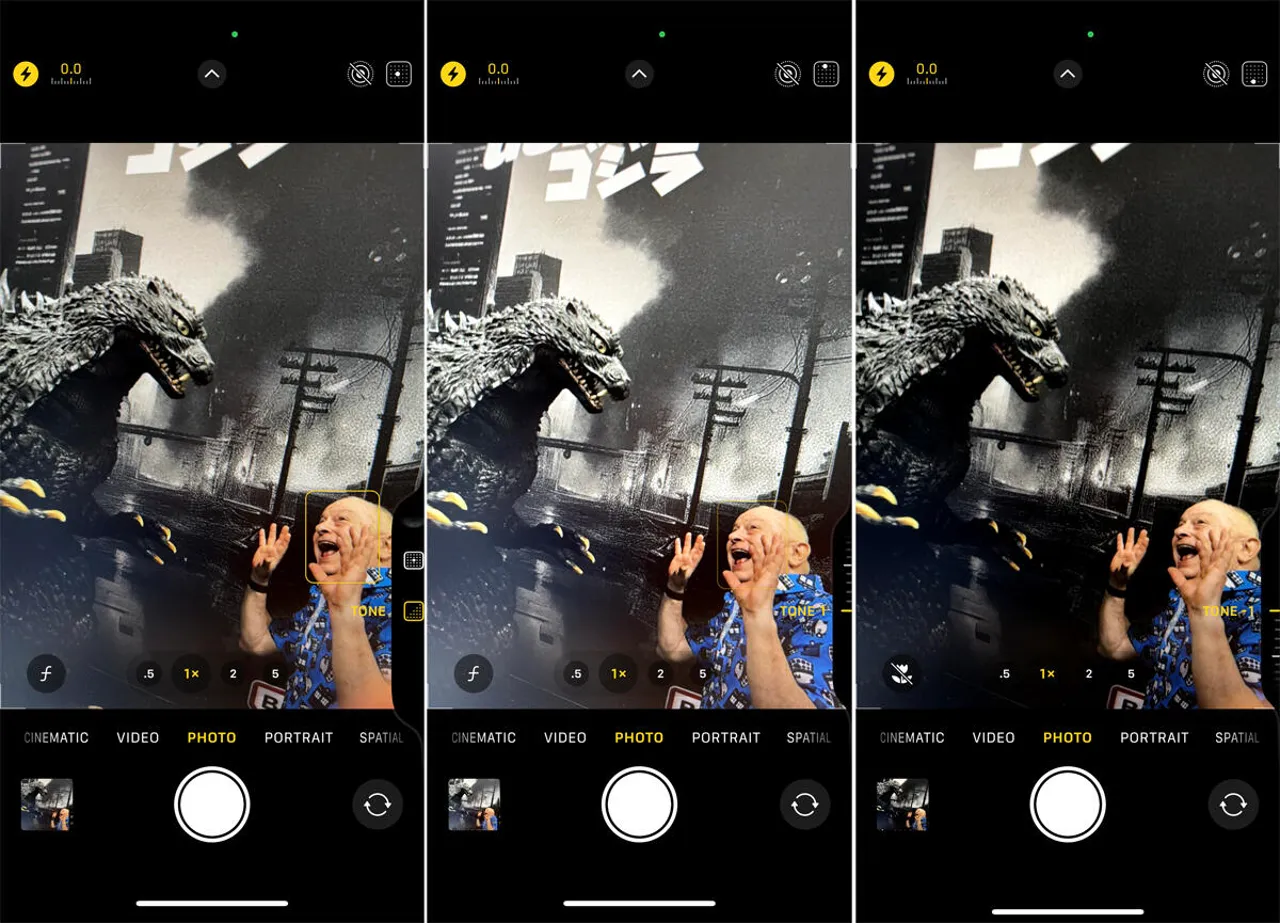
Speed is the difference between a great photo and a missed one. You don't have time to unlock your phone and find the app. Did you know you can open your camera just by swiping left on your lock screen? It’s the fastest way to get ready. Another great trick is using the side buttons.
You can use the Volume Up or Volume Down buttons to snap a photo. This feels like using a real old-school camera. It helps you keep the phone steady because you aren't tapping the screen. It is one of my favorite iPhone camera hacks and tricks for selfies.
Using Burst Mode for Fast Action
If you are at a ball game or watching a dog jump, use Burst Mode. Just tap the shutter button and slide it to the left. The phone will take ten photos every single second! Later, you can go through them and pick the one perfect frame. I used Burst Mode at a race last summer.
Out of fifty shots, only two were perfectly sharp. Without this feature, I would have missed the winner crossing the line! It is a must-have tool for action photography and any kind of sports.
Making Your Portraits Look Like Professional Art
Portrait Mode is one of the best things Apple ever made. It uses the lenses to blur out the background. This is called bokeh. It makes your subject look like they are in a professional studio. It hides the messy room or the busy street behind them.
One of the best iPhone camera hacks and tricks is changing the blur after you take the photo. Open a portrait in your gallery and tap "Edit." You will see an "f" icon at the top. You can slide it to make the background more or less blurry. This gives you total creative power over the final look.
Choosing the Best Lighting Style for Your Face
Inside Portrait Mode, you can also change the light style. I love using "Studio Light" to make faces look bright and clean. If you want a moody, cool look, try "Stage Light Mono." This turns the background black and the photo black and white. "The right light can turn a boring photo into a masterpiece," says pro photographer Sarah Jenkins.
I agree with her. Using these portrait lighting filters helps you look your best. It makes your skin look smooth and keeps the focus on your eyes and smile.
Taking Great Photos in the Dark
Night Mode is a total game-changer for me. When it is dark, a yellow moon icon shows up. The phone takes a few seconds to grab as much light as it can. You must hold very still during this time. If you use a tripod, the phone can even take photos of the stars!
A cool low-light hack is to use a second phone. Instead of using your own flash, have a friend hold their phone light from the side. This creates nice shadows and looks much better than a direct flash. It is a clever way to handle nighttime photography without making people look washed out.
Using Photographic Styles for Your Own Vibe
If you think your photos always look too blue or too warm, you can set a Photographic Style. This is not a filter you add later. It changes how the phone sees color the moment you hit the button. I like the "Rich Contrast" style for my personal blog. It makes the shadows deeper and the colors look more real.
You can find this in your Camera settings. This ensures all your photos have a consistent look for your social media pages. It makes your whole gallery look clean and professional.
Recording Movie-Quality Video on Your Phone
If you have a newer iPhone, you have Cinematic Mode. This is like Portrait Mode but for moving video. It follows the person talking and blurs the trees behind them. If someone else starts talking, the focus shifts all by itself!
This is perfect for vlogging or making movies of your family. To make it look even better, turn on 4K at 24 fps. This is the setting that Hollywood movie directors use. It makes your videos look smooth instead of like a shaky video from an old phone.
Using Action Mode for Smooth Clips
No one likes a video that shakes so much it makes them feel sick. Even if you don't have a gimbal, you can use Action Mode. This is the icon of a person running. It makes the video look like the camera is floating on a cloud.
I used Action Mode while running after my kids at the beach. The video stayed perfectly flat! This is one of the most powerful iPhone camera hacks and tricks for travelers and parents. It makes your home movies look like professional films.
Creative Fun with Long Exposure and Panos
You can make waterfalls look like smooth white silk using Long Exposure. Take a "Live Photo" of moving water. Then, go to your gallery and tap the "Live" button. Choose "Long Exposure" from the list of options.
The phone blends all the frames together to create a beautiful blur. I used this trick on a trip to the mountains, and people thought I used a fancy tripod and a big camera! It is a simple trick that gives you stunning visual results every time.
My Final Thoughts on Phone Photos
The best camera is the one you have in your pocket. Today, your iPhone can do things we only dreamed of ten years ago. I believe the secret is to just keep trying new things. Don't be afraid to tap on the screen and see what the buttons do.
The more you practice these iPhone camera hacks and tricks, the better your eye will get. You will start seeing the world in a whole new way. You won't just see a sunset; you will see the light and the framing.
Frequently Asked Questions
How do I make my iPhone photos look like a pro took them?
The easiest way is to turn on the Grid feature in settings. This helps you keep your lines straight. Also, remember to lock your focus by tapping and holding on your subject on the screen.
Can I take photos of the stars with my phone?
Yes, you can! Use Night Mode and keep your phone very still for about 10 to 30 seconds. If you lean your phone against a rock or use a tripod, the stars will show up clearly in the dark.
What is the best setting for filming video?
For a movie look, use 4K at 24 fps. If you are moving or running while you film, turn on Action Mode. This keeps the video from jumping around and looking shaky.
How do I take close-up photos of tiny things?
If you have a Pro iPhone, use Macro Mode by getting very close to the object. If you have a regular iPhone, use the zoom and then lock your focus on the tiny detail.
Is it okay to use the flash at night?
I usually say no. Night Mode looks much more natural than the flash. The flash can make people look too bright and make the background disappear into total blackness.




.webp)